
Best WooCommerce POS Plugins in 2026: 8 Options Compared
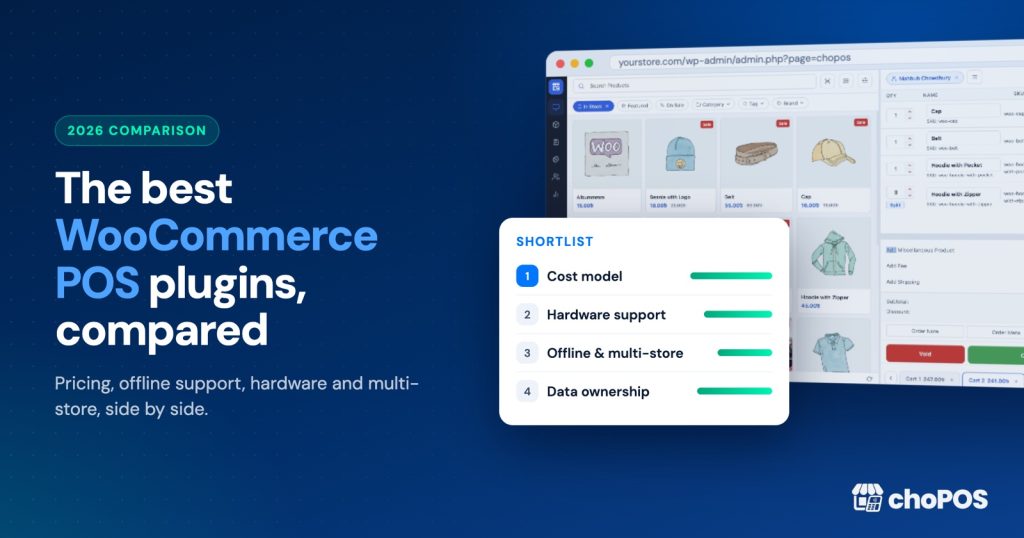
The best WooCommerce POS plugin depends on how you sell. For a free, browser-based till with no per-sale fees, choPOS and WCPOS lead. For offline selling, look at WCPOS, FooSales or Openpos. For card terminals and native apps, Oliver POS, FooSales or the official WooCommerce POS app fit better. Below, we compare eight real options.
Full disclosure: choPOS is our product, so we have a bias. Every claim about another product links to the vendor’s own site or WordPress.org page, and prices are as listed at the time of writing (October 2026). Where a competitor does something better than choPOS, we say so plainly.
The right choice usually comes down to three questions: must you sell without internet, do you need an integrated card reader, and what will you pay each year.
How did we compare these WooCommerce POS plugins?
We scored each option on eight criteria that matter once staff are trained and hardware is bought.
- Cost model: one-off, yearly, monthly, or a fee on every card sale.
- Free tier: whether you can run a real counter without paying, and what the limits are.
- Offline selling: whether the till keeps working when the Wi-Fi drops.
- Multi-store: separate branches, ideally with their own stock.
- Hardware: receipt printers, barcode scanners, card readers and cash drawers.
- Receipts: templates, paper sizes, email and PDF.
- Data ownership: whether sales live in your WooCommerce database or in a third-party cloud.
- Support and updates: how you get help and how long updates last.
If you are new to the idea of a till that runs on WooCommerce, our guide to what a WooCommerce POS is and how to choose one covers the basics first.
We dropped two names from older lists: the Actuality Extensions Point of Sale listing on WooCommerce.com now says the product is retired, and we could not verify Jovvie’s current pricing.
WooCommerce POS comparison table
| Option | Cost model (Oct 2026) | Free tier | Offline | Multi-store | Card reader integration |
|---|---|---|---|---|---|
| choPOS | Free core; Pro from $49 lifetime or $29/year | Yes, full till | No | Pro, with per-store stock | No (record terminal payments as “Card”) |
| WCPOS | Free core; Pro $129/year or $399 lifetime | Yes, full till | Partial (carts and orders, not payment) | Pro | Pro: Stripe Terminal, SumUp |
| Oliver POS | Free plan; paid $89 to $489/year | Yes, 20 products, 50 sales/month | Described as offline-first | Pro: 2 outlets; Enterprise: unlimited | Yes, Stripe terminals, Tap to Pay |
| FooSales | $19 or $38 per month, billed yearly per store | 7-day trial only | Yes | One plan per site | Yes, Square and Stripe |
| YITH Point of Sale | €179.99 (ex. VAT) with 1 year of updates | No | No | Yes, unlimited stores, multi-stock | No (separate terminal) |
| Openpos | $74 regular licence on CodeCanyon | No | Yes | Yes, outlets and stock locations | Yes, Stripe, Square, Authorize.net |
| WooCommerce POS (official app) | Free; card readers $5/month each | Yes | No | Not yet | Yes, WooPayments or Stripe readers |
| Square for WooCommerce | Free plugin; Square in-person fees per sale | Yes (Square Free plan) | See Square | Yes, via Square locations | Yes, Square hardware |
The eight options, one by one
1. choPOS: best for shops that want a free till with no per-sale fees
choPOS runs inside wp-admin in any modern browser, on a laptop, desktop, Android tablet or iPad. Every counter sale is saved as a normal WooCommerce order, so stock, customers and reports stay in your own database. It loads no scripts from other servers and charges no fee per transaction.
The free plugin includes several open carts at once (unpaid carts are kept as “POS – Open” orders), part payments, and two POS-only payment methods: Cash (with change due) and Card. choPOS never charges cards itself: you take the payment on any standalone reader and record it as Card, which is why there are no per-sale fees. Orders are saved with the source “pos”, so reports separate counter sales from online sales.
There are receipt templates for 80 mm, 58 mm and A4. You get detailed receipts, gift receipts, packing slips and kitchen tickets, printed through the browser, downloaded as PDF, or emailed. Keyboard-style USB and Bluetooth scanners work straight away, and camera scanning works in browsers that support it.
choPOS Pro adds unlimited stores, each with its own stock, staff, receipts and reports, plus purchase orders with vendors, and barcode label printing. Pro costs $49 lifetime (up to 5 sites) or $29 a year (1 site), with higher plans for agencies.
- Pros: genuinely usable free core; no per-sale fees; a built-in Card method for standalone terminals; data stays in WooCommerce; lifetime Pro pricing; per-store stock and purchasing in Pro.
- Cons: no offline mode; no integrated card processing (payments are only recorded, and refunds move no money through a gateway); printing goes through the browser print dialog, with no direct ESC/POS driver; no split payment across several methods; the newest plugin here (version 1.0, October 2026), so a shorter track record.
2. WCPOS: best free option with partial offline support
WCPOS by kilbot is the longest-running free WooCommerce POS on WordPress.org, with 5,000+ active installs according to its WordPress.org listing. The free plugin has unlimited products and orders, barcode scanning, receipt templates and thermal printer support. Products are stored locally, so staff can keep building carts and saving orders when the connection drops, but payment still needs a connection.
There are Windows and macOS desktop apps, with iOS and Android apps in beta. WCPOS Pro costs $129 a year or $399 lifetime, for two sites (one live, one staging). Pro adds Stripe Terminal and SumUp readers, refunds, coupons, end-of-day reports and multiple stores.
- Pros: mature free core; local product storage helps on shaky Wi-Fi; desktop apps; card readers in Pro.
- Cons: refunds, coupons and order management sit behind Pro; Pro lifetime costs about eight times choPOS Pro Standard lifetime.
3. Oliver POS: best for card-heavy shops that want dedicated hardware
Oliver POS connects to WooCommerce and offers a free plan limited to 1 outlet, 1 station, 1 staff seat, 20 products and 50 transactions a month. Paid plans at the time of writing are Starter at $89 a year, Pro at $289 a year (2 outlets) and Enterprise at $489 a year (unlimited outlets, multi-outlet inventory and stock transfers). Each licence covers one WooCommerce site.
Oliver describes itself as offline-first and supports Stripe terminals, Tap to Pay and all-in-one devices. Its free plan prints Oliver-branded receipts and has no refunds.
- Pros: integrated card payments; dedicated hardware; strong multi-outlet tools on Enterprise.
- Cons: the free plan’s 20-product limit rules it out for most real shops; yearly fees climb quickly as you add outlets.
4. FooSales: best for markets and events that need native tablet apps
FooSales runs as a web app plus iPad, iPhone and Android apps. Its pricing page lists Core at US$19 a month and Plus at US$38 a month, both billed annually per store, with a 7-day trial and no permanent free tier. Core covers up to 3 users or devices.
The FooSales homepage says it keeps working when the internet drops and supports Square Terminal, Square Readers (tablet apps), Stripe Terminal, Tap to Pay, AirPrint and thermal printers, and Bluetooth scanners. Each WooCommerce site needs its own plan.
- Pros: offline mode; native apps; wide card reader choice; decimal quantities with units.
- Cons: subscription only, so you never stop paying; no free tier for small counters.
5. YITH Point of Sale for WooCommerce: best for multi-register shops already using YITH
YITH Point of Sale is listed at €179.99 excluding VAT, which includes one year of updates and support, plus a 30-day refund. It offers unlimited stores and registers, multi-stock per store, split payments across several methods, suspended carts, gift receipts and register closure reports.
YITH’s own FAQ says the plugin has no offline feature, card payments are taken on a separate terminal, and it has no smartphone layout.
- Pros: split payments; register closure reports; per-register receipt templates; fits the YITH plugin family.
- Cons: no free version; no offline mode; no integrated card reader; yearly renewal for updates.
6. Openpos: best for cafes and restaurants on a one-off budget
Openpos is sold on CodeCanyon at $74 for a regular licence. Its listing claims offline mode, multiple outlets and stock locations, table management with a kitchen view, split payments, layaway, and support for thermal printers, cash drawers, scales, Stripe Terminal, Square Terminal and Star CloudPRNT.
- Pros: the widest feature list here; offline mode; restaurant tools; low one-off price.
- Cons: no free version to test first; many features to configure.
7. WooCommerce POS (official app): best for small US, UK, AU or CA shops using WooPayments
WooCommerce now includes a free POS inside the Woo Mobile App for tablets. It needs WooPayments or Stripe, works in ten countries including the US, UK, Australia and Canada, and charges $5 a month per active card reader plus standard card fees.
Current limits, per WooCommerce: no offline mode, no receipt printing (receipts are emailed), no camera scanning, no multi-location and no cash drawer support. Bluetooth scanners do work.
- Pros: official; free software; integrated card readers; native tablet app.
- Cons: country and gateway restrictions; no printed receipts yet; tablets only, no phones.
8. Square for WooCommerce: best if you already use Square at the counter
Square for WooCommerce is not a POS plugin. It syncs products, prices and inventory between WooCommerce and Square POS, with one side as the system of record. Your till is Square’s own app and hardware.
Square’s Free plan has no monthly fee, but in the US each in-person card sale costs 2.6% + 15¢ at the time of writing. Rates differ by country. We compare the two approaches in detail in choPOS vs Square POS.
- Pros: polished hardware and apps; card payments built in; 80,000+ active installs for the sync plugin.
- Cons: fees on every card sale; two systems to keep in sync; counter sales do not start life as WooCommerce orders.
What does a WooCommerce POS really cost over three years?
Here is the software cost for one shop over three years at the prices above, before card processing fees.
| Option | Three-year software cost |
|---|---|
| choPOS Free | $0 |
| choPOS Pro Standard (lifetime) | $49 once |
| WCPOS Pro (lifetime) | $399 once |
| Oliver POS Starter | $267 ($89 x 3) |
| FooSales Core | $684 ($19 x 36 months) |
| Openpos | $74 once |
| WooCommerce POS app, one reader | $180 in reader fees ($5 x 36) |
YITH is left out because its renewal price is not listed on the product page. Card fees from your payment provider apply with every option.
How do I choose the right WooCommerce POS for my shop?
Match the tool to your counter.
Single shop with reliable internet
Start with choPOS Free or WCPOS. Both are free and keep sales in WooCommerce. choPOS includes refunds (recorded with restock), coupons, order editing and reports free; WCPOS keeps those for Pro but adds local product storage.
Market stalls, fairs and pop-ups with patchy signal
Pick a tool with offline mode: FooSales, Openpos, or WCPOS for carts and orders. choPOS needs a connection, so if you use it at a market, bring a mobile hotspot. Our pop-up shop POS guide covers that setup.
Card-first shops that want one integrated reader
Look at Oliver POS, FooSales, WCPOS Pro, Openpos, or the official WooCommerce POS app if you are in a supported country. choPOS does not control card readers: you take the payment on any standalone terminal, then record it with the built-in Card method.
Two or more branches with separate stock
choPOS Pro gives each branch its own stock, staff, receipts and reports, with the main store sharing WooCommerce stock with your online shop, and purchase orders that add stock to the right branch. YITH and Oliver Enterprise also handle per-store stock. Compare total cost: choPOS Pro starts at $49 lifetime, Oliver Enterprise is $489 a year.
Cafes and restaurants
Openpos fits best, with table management and a kitchen view. choPOS prints kitchen tickets but has no kitchen display or table plan.
Shops already running Square
Keep Square and add Square for WooCommerce to sync stock. Switch only if per-sale fees or double data entry start to hurt. Our receipt printer and barcode scanner guide covers the hardware.
Key takeaways
- choPOS and WCPOS are the strongest free WooCommerce POS plugins; choPOS includes more management tools free, WCPOS adds partial offline support.
- If you must sell without internet, choose FooSales, Openpos or WCPOS. choPOS does not work offline.
- For integrated card readers, look at Oliver POS, FooSales, WCPOS Pro, Openpos or the official WooCommerce POS app.
- For several branches with separate stock, choPOS Pro offers the lowest long-term cost, from $49 lifetime.
- Square for WooCommerce syncs with Square POS; it is not a POS itself.
Frequently asked questions
Does WooCommerce have a built-in POS system?
WooCommerce core has no POS screen in wp-admin. The Woo Mobile App includes a free POS for tablets in ten countries, but it needs WooPayments or Stripe and does not print receipts yet. Most shops add a plugin such as choPOS, WCPOS or YITH, which save counter sales as WooCommerce orders.
Is there a free POS plugin for WooCommerce?
Yes. choPOS and WCPOS both have free versions on WordPress.org with unlimited products and orders and no per-sale fees. Oliver POS has a free plan, but it is limited to 20 products and 50 transactions a month. The official WooCommerce POS app is free software, with a monthly fee for each card reader.
Which WooCommerce POS works offline?
FooSales and Openpos advertise offline selling, and Oliver POS describes itself as offline-first. WCPOS keeps saving carts and orders offline, though payment needs a connection. choPOS, YITH Point of Sale and the official WooCommerce POS app all need internet, so a mobile hotspot is a sensible backup.
Do WooCommerce POS plugins charge transaction fees?
Most do not. choPOS and WCPOS charge no transaction fees, YITH and Openpos are sold as licences, and Oliver says it adds no processing fee of its own. Your card processor still charges its rates. Square charges a fee on every card sale, and the official WooCommerce POS app adds $5 a month per active reader.
Can I use Square with WooCommerce?
Yes. The free Square for WooCommerce plugin syncs products, prices and inventory between your store and Square POS, and lets you take Square payments online. Your counter runs on Square’s app and hardware, and each in-person card sale carries Square’s fee, which is 2.6% + 15¢ in the US at the time of writing.
Can one WooCommerce POS manage several shops?
Yes, but check how stock is handled. choPOS Pro gives each store its own stock, staff, receipts and reports. YITH Point of Sale, Oliver Enterprise and Openpos also track stock per location, and WCPOS Pro lists multiple stores. The official WooCommerce POS app does not support multiple locations yet.
If a free, browser-based till with no per-sale fees suits your counter, download choPOS Free from WordPress.org and ring up a test sale. When you need branches, purchasing or barcode labels, see the choPOS Free vs Pro comparison.