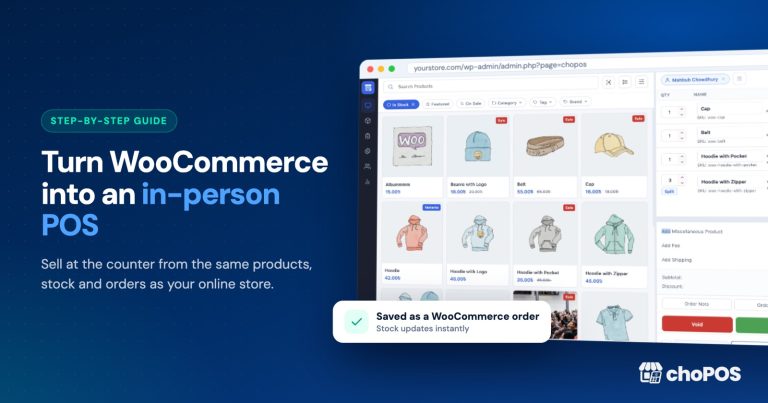
What Is choPOS? A WooCommerce POS for In-Store Sales
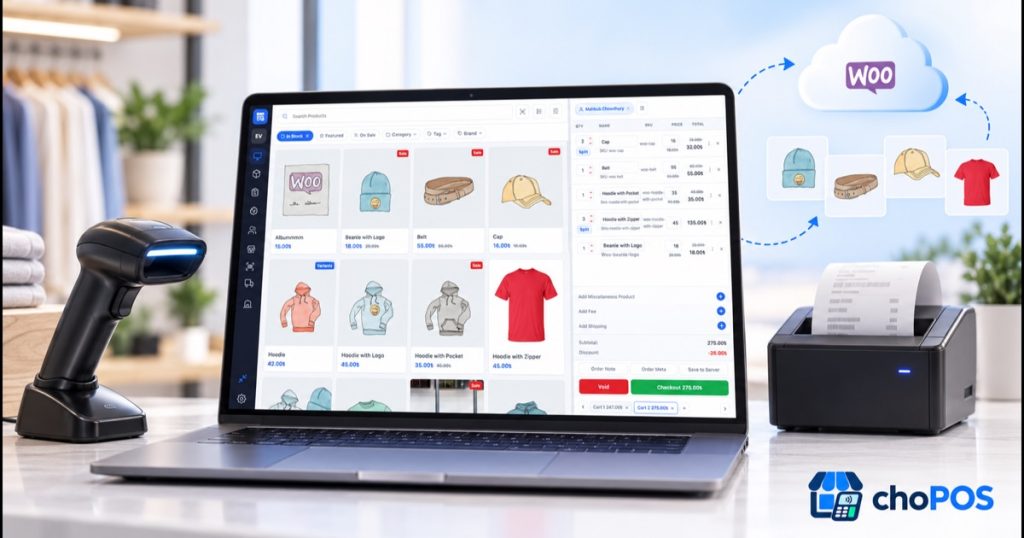
choPOS is a point-of-sale (POS) plugin for WordPress that turns an existing WooCommerce store into a full in-person checkout inside the WordPress dashboard. Instead of running a separate till with its own catalogue, cashiers sell the same products, prices, coupons and tax rules the website already uses, and every counter sale is saved as a standard WooCommerce order, so stock, customers and reports stay connected in one place.
If your business sells online with WooCommerce and also takes payments at a counter, showroom or market stall, choosing POS software is a genuine decision. The tool you pick determines how stock, payments, receipts, staff accounts and taxes behave for years, and switching later is disruptive. This guide explains what choPOS is, how it works under the hood, how it compares with hosted platforms such as Square or Shopify POS, what it costs, and how to complete your first sale today. It is written by the team that builds choPOS for store owners evaluating point-of-sale tools for the first time.
What is a WooCommerce POS?
A WooCommerce POS is point-of-sale software that runs on top of an existing WooCommerce store, so in-person sales and online sales share one product catalogue, one stock count and one order history. Instead of running a separate till that needs syncing, the counter writes directly into the same WordPress database the website already uses.
Most WooCommerce POS plugins, choPOS included, run in a browser tab rather than as a desktop application. Staff open the POS screen, sign in with a WordPress account, and sell from any device that has a browser. Hardware and operating system stop being part of the purchase decision, which is one of the main reasons merchants choose a plugin over a dedicated terminal system. The till reads products, prices, coupons and tax rules from WooCommerce, and it hands the paperwork back in return: real orders, real reports and real receipts.
That is the definition this guide relies on. If you want a longer background walkthrough of the category before comparing vendors, the team maintains a separate WooCommerce POS guide that applies to any plugin in this space, not just choPOS.
Why is choPOS useful?
choPOS is useful because it removes the paperwork of keeping an online shop and a physical till in sync. That separation normally creates duplicated catalogues, prices entered twice, mismatched stock counts and reports that never quite agree. Because choPOS writes every sale into the same WooCommerce data your website already uses, those problems disappear at the source rather than being patched over with exports and spreadsheets.
For a growing business, that single-catalogue model pays off in concrete ways:
- One product and inventory system serves the website and the counter at the same time, so a sale on either channel updates the same stock count instantly.
- Instant product search by name, SKU or category, with filters for stock status, featured products, on-sale items, category, tag and brand.
- Barcode scanning with standard USB and Bluetooth scanners, and camera scanning in browsers that support it.
- Several carts open at once, so a sale can be parked mid-transaction and finished later while the next customer is served.
- Ordinary WooCommerce orders, customers, coupons and tax classes, so nothing changes for your accountant or store manager.
- Cash with change calculation, part payments and the payment gateways you already use online.
- Role-based access through dedicated cashier and manager capabilities, so cashiers see the till and managers see the settings.
- Self-hosted ownership: sales live in your own WordPress database and nothing is sent to an external choPOS service.
How does a WooCommerce POS differ from a hosted POS platform?
A WooCommerce POS plugin like choPOS runs on your own WordPress server and reads its catalogue from the same database as your online store. A hosted POS platform such as Square or Shopify POS runs on the vendor’s cloud, usually charges per register per month, and often keeps a separate retail catalogue that must be synced back to your website.
That architectural difference drives almost everything that matters when you choose point-of-sale software: what you pay over time, who owns the sales data, how stock stays accurate after an online sale, and what happens if you ever cancel. The table below summarises the trade-offs between the two models.
| Factor | WooCommerce POS plugin (choPOS) | Hosted POS platform |
|---|---|---|
| Where it runs | Your own WordPress hosting | The vendor’s cloud |
| Product catalogue | The same WooCommerce products you sell online | Usually a separate retail catalogue |
| Typical cost model | One-time or yearly licence | Monthly fee per register or terminal |
| Per-transaction vendor fee | None | Common on vendor payment rails |
| Stock accuracy | Native: same database as your website | Needs a sync connector |
| Sales data ownership | You, in your own database | The vendor |
| Works if you stop paying | Usually yes, without updates | No |
Neither model is universally better. A single shop with a working WordPress site and existing WooCommerce products almost always saves money with a plugin. A chain with many locations and no technical staff may prefer a hosted platform precisely because uptime, backups and support belong to somebody else. choPOS is built for the first profile: merchants who want a professional till without leaving WordPress.
How does choPOS work?
choPOS works by adding a browser-based point-of-sale terminal to the WordPress admin area of your existing site. The terminal reads your WooCommerce catalogue, and when a cashier completes a sale it writes a normal WooCommerce order back to the same database, exactly as if the customer had checked out online. Three parts of that design are worth understanding before you buy.
It runs in the browser, not as an app
The sale screen is a web application that loads inside WordPress admin, so any modern browser becomes a till: a laptop, a Windows tablet, an iPad or an Android device at the end of the counter, with no app to install and no app-store account to manage. The terminal is completely independent of your theme, so your storefront design and your online checkout flow are untouched. Settings such as store address, currency, tax display and even the accent colour are configured per device, every staff member signs in with their own WordPress account, and a full-screen mode hides the admin entirely while selling.
How a counter sale becomes a WooCommerce order
Every sale follows the same path, which is why the bookkeeping stays reliable:
- The cashier finds the product through the product grid, search or a barcode scan and adds it to the cart.
- Variations, quantities, line prices and item names are adjusted on the spot, and fees, shipping, coupons or order notes are added while the customer is standing there.
- The cashier attaches the customer, picking an existing one from the records or creating a new account at the till, and takes payment.
- When the sale is saved, WooCommerce taxes it with your existing tax classes and rates and stores it as a standard WooCommerce order.
- Stock decrements in the same inventory the website sells from, and the sale appears immediately in WooCommerce orders and reports.
Inventory, taxes and data stay yours
A counter sale decrements the stock your website sells from in real time, so the website never shows an item the till has already sold. Tax is calculated with your WooCommerce tax setup, including compound rates, postcode and city rules and shipping tax, and you choose whether tax is applied at the shop address or the customer’s billing or shipping address. Prices can display including or excluding tax, with itemised or single tax totals. Nothing is routed through an external choPOS service: the plugin loads no scripts, styles or fonts from other servers, and orders, customers and reports live in your own database. choPOS is also compatible with WooCommerce High-Performance Order Storage (HPOS).
What can you do with choPOS?
choPOS covers the complete counter workflow: selling, payments, receipts, order management, refunds, customer records, staff permissions and reporting. The feature groups below describe how each part behaves during a real shift at the register, and a complete, feature-by-feature tour lives on the choPOS features page.
Product search, filtering and barcode scanning
The terminal presents products as a grid or a list with live search and filters for stock status, featured products, on-sale items, category, tag and brand, and results return with no page reloads between items. Variable products expose their variations directly from the product tile or a variations list. USB and Bluetooth barcode scanners work immediately because they type the code like a keyboard, and scanning the same barcode again increases the quantity. Barcodes are matched against SKUs and a dedicated barcode field on products and variations, and scan timing, minimum code length and prefix or suffix are tunable under the terminal settings, so your hardware behaves exactly as you want.
Cart control while the customer decides
Real counters need mid-sale editing, and choPOS supports it without leaving the basket: choose a size or colour variation, edit quantities, split a line, rename items and change prices. Miscellaneous items, fixed or percentage fees, shipping, coupons, order notes and custom order meta can all be added during the sale. Percentage or fixed discounts apply per line or to the entire sale, and existing WooCommerce coupons are honoured. Several carts can be open at once, and unpaid carts are kept as open orders, so a hesitant customer can be parked and finished later without blocking the queue.
Payments, part payments and gateways
Cash checkout supports the amount tendered with automatic change calculation. Part payments let you take a deposit now and settle the balance due later against the same order, which suits deposits, reservations and made-to-order work. Every WooCommerce payment gateway you have enabled online also works at the till, so there is no new payment contract to negotiate and your existing processor relationships keep working. Premium licence tiers add split payments across multiple methods and store credit handling as your counter operation matures.
Receipts for every counter
Receipt templates cover 80 mm and 58 mm thermal printers and plain A4, in four layouts: a detailed receipt, a gift receipt, a packing slip and a kitchen ticket. A receipt can be printed through the browser, downloaded as a PDF or emailed directly to the customer, and it can appear or print automatically after checkout. That flexibility is what lets the same plugin serve a market stall with no printer, a counter with a thermal roll and a drawer, and an office showroom that emails every invoice.
Orders, refunds and store management
From the terminal, staff can search and filter the order history, and view, edit, refund, void or reopen orders. Refunded stock returns to inventory immediately, which keeps the end-of-day numbers honest. Products, coupons and customers can be browsed and edited without leaving the POS, so the price correction you notice after a supplier update takes seconds rather than a trip to another screen. Reports cover sales totals, payment methods, taxes and a sales chart for any date range, and a default customer can be pre-selected for every new cart so regulars check out even faster.
Staff roles and permissions
choPOS adds four dedicated capabilities on activation: chopos_cashier for using the terminal, chopos_manager for settings, coupons and management screens, chopos_view_reports for the reporting screens and chopos_manage_stores for store-level control. Administrators and WooCommerce Shop Managers receive them automatically, and they can be granted to other roles with any role editor plugin. Cashiers work with the orders, held carts and register sessions they created themselves, while managers see everything. Multiple cashiers can sell at the same time from separate devices and accounts.
Who should use choPOS?
choPOS is for WooCommerce merchants who sell face to face as well as online. It fits any team that needs a proper till instead of a receipt book or an improvised card reader, and any business where the counter and the website should be the same shop with the same numbers.
- Retail shops and boutiques running a busy counter and an online store that draws on the same stock.
- Showrooms, such as furniture, lighting or electronics, that write the order in person and ship from warehouse stock.
- Market stalls, farmers’ markets and pop-up shops that want every sale to reach the same order history as the website.
- Repair shops and service counters that sell parts and add fees, notes or custom order fields during an appointment.
- Cafes and food counters that need thermal receipts, a kitchen ticket layout and fast service for regular customers.
- Agencies and freelancers building client stores that also need counter sales, covered under an agency licence.
If a store sells exclusively online and never in person, a POS is not the tool it needs today. choPOS exists precisely for the businesses that operate in both worlds and want one system of record behind all of them.
How much does choPOS cost?
choPOS is licensed by the number of sites, with unlimited registers on every tier and no per-transaction fee from choPOS. The plugin itself is free to install from WordPress.org, and paid licences range from a $49 one-time Standard licence to a $199 one-time Agency licence, each covered by a 14-day money-back guarantee. The full, current breakdown is always on the pricing page.
| Plan | Lifetime price | Sites | Best for |
|---|---|---|---|
| Standard | $49 one-time | Up to 5 sites | A single shop getting its counter online |
| Premium | $99 one-time | Up to 500 sites | Growing brands and multi-location retail |
| Agency | $199 one-time | Unlimited sites | Agencies and freelancers shipping client stores |
Every plan ships the complete point of sale: the sale screen, barcode scanning, thermal and A4 receipts, cash drawer tracking and real-time stock sync. The Premium tier adds multi-register control, cashier roles and shift reporting, split and partial payments, customer lookup with store credit and a priority support queue. The Agency tier adds unlimited activations for client sites, white-label receipt branding, staging and development licences and a direct support channel. Yearly licences are available as an alternative to the one-time plans, and all billing is handled securely by Paddle.
How do you start using choPOS?
Your first counter is an afternoon’s work, and most of that time goes on hardware and staff practice rather than software. Work through the steps in order:
- Install and activate WooCommerce, and make sure your products have prices, SKUs and stock quantities filled in.
- In Plugins, choose Add New, search for choPOS, then install and activate it, or upload the plugin ZIP through Plugins, Add New, Upload Plugin after purchase.
- Open choPOS in the WordPress admin menu to start selling.
- Open the terminal settings, the gear at the bottom of the sidebar, and check the store address, currency and tax settings copied from WooCommerce, along with receipt, printing and barcode options.
- Connect the hardware: plug in a keyboard-wedge barcode scanner, add the receipt printer as a system printer and connect a printer-triggered cash drawer if you use one.
- Run a complete test sale, refund it, and confirm the stock returned correctly before you open for business.
Create a WordPress user for each staff member and assign the cashier capability so takings are attributed per person, then start serving customers: add products to the cart, select the customer and complete the sale. Budget most of the afternoon for step five, because scanner profiles and printer drivers are where first-day time actually goes.
What should you know before installing?
A few practical limits are worth knowing before you commit. choPOS requires WooCommerce, WordPress 6.6 or higher and PHP 7.4 or later. Today it runs as a single store using your WooCommerce store settings; support for several stores or branches, each with its own address, currency and tax settings, is planned on the public roadmap. The terminal also needs a connection to your WordPress site to load products and save orders, so plan for reasonably reliable Wi-Fi or wired networking at the counter.
On the other side of the ledger, the guarantees are solid. The terminal runs inside WordPress admin and works independently of your theme. It supports WooCommerce HPOS. It sends no store data to any external choPOS service and loads nothing from third-party servers. Open carts and per-device preferences are kept safely on each terminal, and orders and customers are always saved on your site.
Frequently asked questions
These are the questions store owners ask most often before choosing choPOS, with short, direct answers.
Is choPOS free?
Yes, the choPOS plugin is free to download and install from WordPress.org. Paid licences unlock more sites and premium features such as multi-register control, cashier shift reports, split payments and priority support, starting at $49 one-time for the Standard lifetime licence. Every plan carries a 14-day money-back guarantee.
Do I need WooCommerce to use choPOS?
Yes. Products, customers, coupons and orders are all standard WooCommerce data. Without WooCommerce there is no catalogue to sell from and no order history to write into, and that shared foundation is exactly what keeps the till and the website aligned.
Can choPOS work without an internet connection?
The current release needs a connection to your WordPress site to load products and save orders, so count on reliable Wi-Fi or wired networking at the counter. Sales in progress are kept as open orders, so a cart can be parked and completed once the connection is healthy again, but offline checkout is not a capability to rely on yet.
Which hardware works with choPOS?
Any modern browser on Windows, macOS, iPad or Android works as a terminal, with nothing to install from an app store. Any USB or Bluetooth scanner that types the code like a keyboard works straight away, receipts print on 80 mm or 58 mm thermal printers or plain A4, and printer-connected cash drawers trigger automatically on cash sales. No branded hardware is required.
Does choPOS handle sales tax?
The till calculates tax with your WooCommerce tax rates and classes, including compound rates, postcode and city rules and shipping tax, and the saved order is taxed by WooCommerce itself. Counter sales and online sales are therefore taxed identically, and your till reports match the numbers on your site.
How is choPOS different from Square or Shopify POS?
Hosted platforms run on the vendor’s cloud, charge a monthly fee per register and often take a percentage of each transaction through their own payment rails, and their retail catalogue normally needs a sync connector to stay accurate against the website. choPOS runs on your own WordPress server, shares the WooCommerce catalogue natively and charges no per-transaction vendor fee.
Can several cashiers use choPOS at the same time?
Yes. Any number of devices can use the terminal at once, each cashier signs in with their own WordPress account, and the manager capability keeps till access and reporting responsibilities separate. Takings can be attributed to the cashier who rang them up.
The takeaway
A WooCommerce POS is one of the highest-leverage upgrades a business that sells online and in person can make, because it turns two disconnected systems into one system of record. choPOS takes that idea all the way: one catalogue, one stock count, one order history, taxes that match, receipts that fit the counter, and data that never leaves your own server. The fastest way to evaluate it is to install the free plugin and run a test sale today, then choose a licence once you have seen your own products move across a real counter.