Square vs WooCommerce POS (choPOS): Costs, Fees and Fit
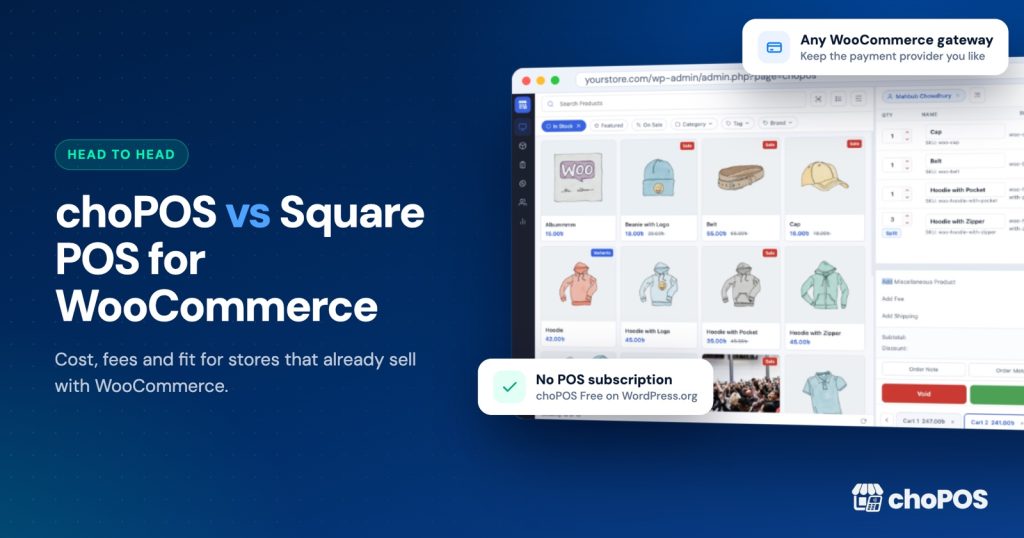
Square POS is a strong choice if you sell mostly in person, want Square’s own card readers and need offline card payments. choPOS suits WooCommerce stores that want every counter sale saved as a WooCommerce order, one catalogue, no POS subscription, and a till that works in any country where WooCommerce runs. Card fees apply with either.
Disclosure first: choPOS is our product. We have tried to keep this comparison fair, and every Square figure below links to Square’s own pages or the official WooCommerce documentation, checked at the time of writing (October 2026). Where Square is the better fit, we say so.
New to the idea of a WooCommerce point of sale? Our guide to choosing a WooCommerce POS covers the basics.
What is the real difference between Square and a WooCommerce POS?
The difference is where your shop’s data lives. Square POS is a separate system with its own item library, its own orders and its own reports. To connect it to a WooCommerce website, you add the free Square for WooCommerce extension, which copies data between the two systems on a schedule.
choPOS takes the opposite approach. It runs inside your WordPress admin, in the browser, and every counter sale is saved as a normal WooCommerce order. There is no second catalogue to keep in step, because there is no second system. Stock, customers and reports stay in WooCommerce.
What does Square POS cost in 2026?
On its US pricing page, Square lists three plans at the time of writing (October 2026):
| Square plan (US) | Monthly fee | In-person card rate (tap, dip, swipe) | Online card rate |
|---|---|---|---|
| Square Free | $0 per location | 2.6% + 15¢ | 3.3% + 30¢ |
| Square Plus | $49 per location | 2.5% + 15¢ | 2.9% + 30¢ |
| Square Premium | $149 per location | 2.4% + 15¢ | 2.9% + 30¢ |
A few other numbers from the same page matter for a shop counter. Manually keyed cards and cards on file cost 3.5% + 15¢ on every plan. Cards issued outside the United States carry an extra 1.5%. Hardware options start at $59, and add-ons such as the Square KDS app are charged on top.
Pricing differs by country. On Square’s UK pricing page, for example, the in-person rate is 1.75% for UK cards and Plus starts at £29 a month. Always check the page for your own country before you do the maths.
Is Square available in my country?
Settle this first, because for many WooCommerce owners it ends the comparison. Square’s international availability page says card payment acceptance is available in eight countries: the United States, Canada, Australia, Japan, the United Kingdom, the Republic of Ireland, France and Spain. It adds that Square does not support card processing outside those countries.
So Square card processing is not available in India, Bangladesh, Pakistan, Germany, New Zealand or most of the world. The official Square for WooCommerce listing names the same eight countries.
choPOS has no such limit. It works wherever your WooCommerce store already works, with whichever card processor or bank terminal is available locally.
What does Square for WooCommerce sync, and what doesn’t it?
Square for WooCommerce is a free extension built by WooCommerce. According to the sync settings documentation, you choose one platform as the source of truth for product data:
- WooCommerce as source of truth: product names, prices, descriptions, images and categories push from WooCommerce to Square.
- Square as source of truth: product data from Square pulls into WooCommerce.
Either way, WooCommerce checks Square for stock changes on a schedule, so in-person sales reduce your online stock. The customising guide gives the default product sync interval as one hour. The documentation is clear that stock changes from in-person sales appear in WooCommerce at the next scheduled check, not instantly.
The limits worth knowing before you commit:
- Matching relies on SKUs. Products must have the same SKU in both systems to sync.
- Some details do not travel. When Square is the source of truth, only the first (reporting) category imports, and variation titles and images are not synced, per the Square-to-WooCommerce guide.
- Manual stock edits can be overwritten by a later check from Square.
- Square sales do not become WooCommerce orders. The order sync documentation describes an opt-in fulfilment sync that sends WooCommerce orders to Square every 15 minutes by default. It only syncs existing WooCommerce orders to Square, and refunds created in Square are not synced.
That last point is the one most owners miss. With Square at the counter, in-person sales live in Square’s reports and online sales live in WooCommerce, so you reconcile two sets of numbers. Some reviews on the WooCommerce listing also report stock problems and disconnections.
How does choPOS handle the same jobs?
With choPOS there is nothing to sync. The till reads your WooCommerce products directly, sells from WooCommerce stock and saves each sale as a WooCommerce order the moment it is paid. Online stock changes straight away, and WooCommerce reports include counter sales.
At the counter you get instant search, variable products, several carts at once, parked sales, discounts and coupons. choPOS does not charge cards itself. At checkout it records how the customer paid: Cash (with change due), Card for payments taken on an external terminal, or the name of any enabled WooCommerce gateway. Part payments are supported. Orders are tagged with source “pos”, so reports can separate counter sales from online ones. Receipts print through the browser to 80 mm or 58 mm thermal printers or A4, or go out as a PDF or email. Our receipt printer and barcode scanner guide covers the hardware side.
Each cashier signs in with their own WordPress account, with no limit on cashiers or devices. choPOS Pro adds unlimited store branches with their own stock, purchase orders and vendors, and barcode label printing.
What will each option cost a small shop over 12 months?
Here is a worked example that compares like with like. The assumptions:
- One US shop, one location, already running WooCommerce on paid hosting (hosting cost is the same in every scenario, so it is left out).
- $8,000 a month in in-person card sales, at an average sale of $25, which is 320 card transactions a month.
- All cards are US-issued, tapped or dipped. Cash sales cost nothing to process in any scenario.
- For choPOS, cards are taken on a standalone Square reader using the Square Free plan, so the processing rate is identical. Any other processor would have its own rate.
Monthly processing on Square Free is 2.6% of $8,000 ($208) plus 320 × 15¢ ($48), so $256. On Square Plus it is 2.5% of $8,000 ($200) plus $48, so $248.
| 12-month cost | Square Free | Square Plus | choPOS Free + card reader | choPOS Pro (lifetime) + card reader |
|---|---|---|---|---|
| POS software | $0 | $588 | $0 | $49 once |
| Card processing | $3,072 | $2,976 | $3,072 | $3,072 |
| Card hardware (from) | $59 | $59 | $59 | $59 |
| Total, year one | $3,131 | $3,623 | $3,131 | $3,180 |
| Year two onwards | $3,072 | $3,564 | $3,072 | $3,072 |
Three honest conclusions come out of this table:
- Card processing is the biggest cost, and it applies to any processor. Switching POS software does not make card fees go away. Compare processors separately from tills.
- On pure price, Square Free and choPOS Free tie. Neither charges for software. The difference is what you get: separate Square records synced hourly, or sales recorded natively in WooCommerce.
- Square Plus only pays for itself at high volume. It saves 0.1% on in-person cards, so the $49 monthly fee breaks even at about $49,000 of card sales a month per location. Most small shops sit well below that.
choPOS Pro is optional. If you need more than one branch, purchase orders or barcode labels, the Standard plan is $49 lifetime or $29 a year. The Pro pricing page lists every plan.
choPOS vs Square: feature comparison
| Feature | Square POS + Square for WooCommerce | choPOS (Free, with Pro where noted) |
|---|---|---|
| POS software fee | $0, $49 or $149 a month per location (US) | $0; Pro from $29 a year or $49 lifetime |
| Countries | Card processing in 8 countries | Anywhere WooCommerce runs |
| Counter sales recorded as | Square sales, separate from WooCommerce | Native WooCommerce orders |
| Product catalogue | Two catalogues kept in step by SKU | One WooCommerce catalogue |
| Online stock update after a counter sale | Next scheduled check (default hourly) | Immediate |
| Offline selling | Yes, offline card payments with time limits | No, needs an internet connection |
| Integrated card hardware | Yes, Square readers, terminals and registers | No card terminal integration |
| Devices | Square apps and hardware | Any modern browser: laptop, desktop, Android tablet, iPad |
| Receipts | Handled in Square’s apps | 80 mm, 58 mm, A4; print, PDF or email |
| Multiple locations | Yes, fee per location on paid plans | Pro: unlimited stores with own stock |
| Loyalty, gift cards, kitchen display | Yes (some on paid plans or as add-ons) | Not included |
| Where your data lives | Square’s cloud, copied to WooCommerce | Your own WordPress hosting |
How does Square’s offline mode compare?
This is a genuine Square advantage. Square’s offline payments article explains that its apps can keep taking cash and card payments when the connection drops, on supported readers, terminals and registers. Offline payments upload when you reconnect.
There are conditions. You have 24 hours to take offline payments before you must reconnect, pending payments expire after 72 hours if not uploaded, and you carry the risk of any declined or disputed offline payment.
choPOS does not work offline. If your shop’s internet is unreliable, plan for it: a mobile hotspot as a backup connection is the usual fix. If you trade at markets with no signal at all, read our pop-up shop POS guide before choosing.
Can you use Square and choPOS together?
Yes, and for many shops this is the most practical setup. choPOS does not control card terminals, so the till and the card machine stay separate:
- Ring up the sale in choPOS, so it is recorded as a WooCommerce order and stock drops immediately.
- Take the card on a standalone card machine, such as a Square reader on the free Square plan or your bank’s terminal, by entering the total in the terminal’s own app.
- Mark the payment as Card in choPOS, a POS-only method for external terminals, then print or email the receipt.
The trade-off is that the cashier enters the amount twice. In return, WooCommerce stays your single record of sales and stock. Leave Square’s product and inventory sync switched off in this setup.
Refunds work the same way. The cashier refunds the card on the reader or in the provider’s dashboard, then records the refund in choPOS, which restocks the items in WooCommerce. No money moves through choPOS in either direction, so the Square gateway on your online checkout plays no part at the till.
Choose Square if…
- You sell mostly in person and the website is a side channel.
- You want integrated card readers, terminals and registers from one company.
- You need to keep taking card payments when the internet drops.
- You want loyalty, gift cards, a kitchen display or payroll inside one ecosystem.
- You trade in one of the eight countries where Square processes cards.
Choose choPOS if…
- WooCommerce is already the heart of your business and you want counter sales in it as real orders.
- You want one catalogue and immediate stock updates between shop and website.
- You do not want a monthly POS software subscription.
- You want your sales data on your own hosting.
- You are in a country Square does not serve, such as India or Bangladesh.
- You like the option of paying once: choPOS Pro has a lifetime licence.
Comparing more than two options? Our roundup of the best WooCommerce POS plugins covers the wider field.
Key takeaways
- Square POS costs $0, $49 or $149 a month per location in the US, with in-person card rates from 2.4% to 2.6% + 15¢.
- Square processes cards in only eight countries. India and Bangladesh are not among them.
- Square for WooCommerce syncs products and stock by SKU, hourly by default. Square counter sales do not become WooCommerce orders.
- Card fees apply with any processor, so compare tills and processors separately.
- Square wins on integrated card hardware and offline mode. choPOS wins on native WooCommerce orders, one catalogue and global availability.
Frequently asked questions
Does Square work with WooCommerce?
Yes, through the free Square for WooCommerce extension. It adds Square as a card gateway at checkout and syncs products and stock between Square and WooCommerce, matched by SKU, on a schedule that defaults to hourly. Square counter sales stay in Square rather than becoming WooCommerce orders, and card processing is only available in Square’s eight supported countries.
Is Square for WooCommerce free?
The extension itself is free to install from WooCommerce.com. You pay Square’s processing fees on every card payment, and a monthly fee if you choose Square Plus or Premium for the POS. US in-person rates at the time of writing (October 2026) are listed in the next answer.
What are Square POS fees?
In the US at the time of writing (October 2026), in-person card payments cost 2.6% + 15¢ on Square Free, 2.5% + 15¢ on Plus and 2.4% + 15¢ on Premium. Keyed-in cards cost 3.5% + 15¢, and non-US cards add 1.5%. Plus is $49 and Premium $149 a month per location. Other countries differ.
Is Square available in India or Bangladesh?
No. Square’s own help centre says card payment acceptance is available only in the United States, Canada, Australia, Japan, the United Kingdom, the Republic of Ireland, France and Spain. WooCommerce stores in India, Bangladesh and most other countries need a different card processor. A WooCommerce-native POS such as choPOS works alongside whatever local card terminal you already use.
Does choPOS work offline like Square?
No. choPOS runs in the browser inside WordPress and needs an internet connection to record sales. Square can take offline card payments for up to 24 hours on supported hardware. If your connection is unreliable, keep a mobile hotspot as a backup. If you often trade with no signal, Square may suit you better.
Can I use a Square card reader with choPOS?
Yes, as a standalone card machine. choPOS does not connect to card terminals directly, so you ring the sale up in choPOS, take the card on the Square reader using Square’s app, then record it in choPOS with the built-in Card method. The sale is saved as a WooCommerce order and you pay Square’s in-person rate. Any other terminal works the same way.
Try choPOS on your own store
The quickest way to decide is a few test sales on your own products. Download choPOS Free from WordPress.org, open it in your browser, and see how counter sales look as WooCommerce orders. If you later need branches, purchase orders or barcode labels, the Free vs Pro comparison shows exactly what Pro adds.