WCPOS vs choPOS: Free WooCommerce POS Plugins Compared
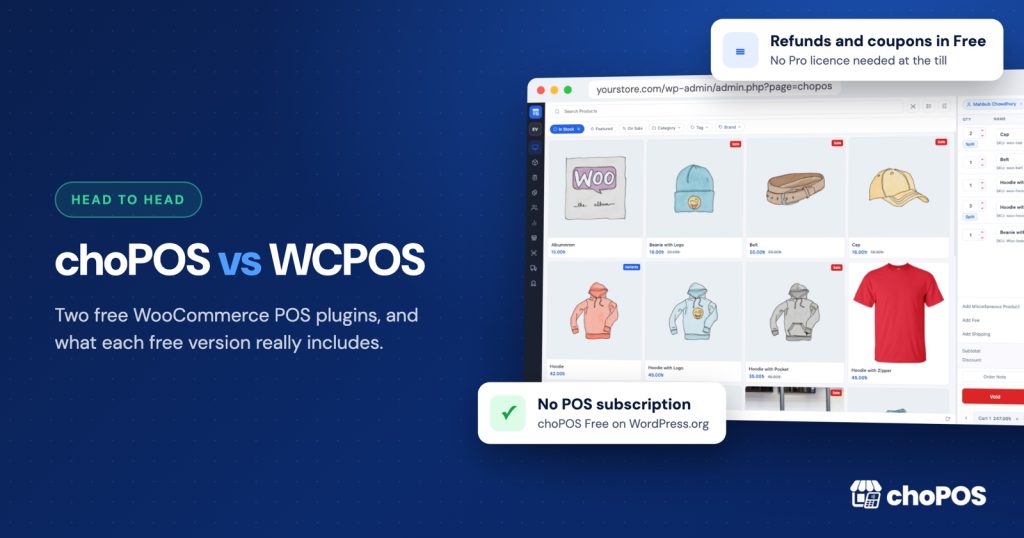
choPOS is the stronger choice for most WooCommerce shops. Refunds, coupons, customer creation, order editing and sales reports are all in choPOS Free, where WCPOS keeps them behind Pro. When you do need more, choPOS Pro costs $29 a year or $49 once, against $129 a year or $399 once for WCPOS Pro.
Weighing more options? Our WooCommerce POS comparisons page links to every head-to-head we have written.
What do WCPOS and choPOS have in common?
Both are WordPress plugins built only for WooCommerce. Both sell from your existing WooCommerce products and stock, and both save counter sales as normal WooCommerce orders in your own database. Neither charges transaction fees or per-register fees, and both work with USB and Bluetooth barcode scanners.
The difference is how much you get before you pay, and how much you pay when you do.
What does each free version include?
WCPOS keeps its free version to taking orders and moves store management into Pro, according to its WordPress.org listing. choPOS puts store management in the free version.
| Task at the till | WCPOS Free | choPOS Free |
|---|---|---|
| Sell products, variations and custom items | Yes | Yes |
| Barcode scanning | Yes | Yes, plus camera scanning in supported browsers |
| Cash and manual card payments | Yes | Yes, plus part payments with a balance due |
| Apply coupons | Pro only | Yes |
| Refund POS orders | Pro only | Yes, with restock |
| Create and edit customers | Pro only | Yes |
| Reopen and edit older orders | Pro only | Yes, plus void |
| Edit stock and prices from the POS | Pro only | Yes |
| Sales reports | Pro only (end-of-day report) | Yes: totals, payment methods, taxes and a sales chart for any date range |
| Several carts open at once, parked sales | Not listed | Yes |
| Receipt templates | Yes | Yes: 80 mm, 58 mm and A4 receipts, gift receipt, packing slip, kitchen ticket |
That’s six everyday jobs that cost nothing in choPOS and need a WCPOS Pro licence. A shop that refunds a return, hands out a discount code or checks yesterday’s takings does all three on the free plan with choPOS.
How do you run each till?
choPOS runs in the browser inside your WordPress dashboard, on a laptop, desktop, Android tablet or iPad. There is nothing else to download, install or keep updated on each device, and a full-screen mode hides the WordPress admin while you sell. Each cashier signs in with their own WordPress account, with no limit on cashiers or devices.
WCPOS takes a different route, with separate desktop apps to download and iOS and Android apps that are still in beta at the time of writing.
Receipts in choPOS print through the browser to 80 mm or 58 mm thermal printers or A4, or go out as a PDF or email. Our receipt printer and barcode scanner guide covers the set-up.
How do card payments work?
choPOS works with any card machine from any bank or processor, in any country. The cashier takes the card on the terminal, then marks the sale as Card (a POS-only method for external terminals) or as one of your enabled WooCommerce gateways. You keep the processor and rates you already have.
WCPOS’s card terminal integration is a Pro feature and supports Stripe Terminal and SumUp readers, so it only helps if you use one of those two processors and pay for Pro.
What does Pro cost?
Prices are from each Pro page in October 2026, in US dollars.
| WCPOS Pro | choPOS Pro (Standard) | |
|---|---|---|
| Yearly | $129 a year | $29 a year, 1 site |
| Lifetime | $399 once | $49 once, up to 5 sites |
| Sites | 2 (one live, one development) | Development sites don’t count |
| What Pro adds | The coupons, refunds, customers, orders and reports choPOS includes free, plus card terminals and stores | Multiple stores with their own stock, purchase orders and vendors, barcode labels |
A WCPOS Pro lifetime licence costs eight times a choPOS Pro lifetime licence. Larger choPOS plans cover more sites; the pricing page lists them all.
Why choose choPOS over WCPOS?
- Refunds, coupons, customers, order editing and reports in the free version.
- Several carts open at once, with unpaid carts parked as orders to finish later.
- Part payments with a balance due.
- Cashier and manager permissions through WordPress capabilities: cashiers see only their own POS orders.
- No apps to install on each device.
- Any card machine, any processor, any country.
- Pro from $29 a year or $49 once, against $129 a year or $399 once.
For the rest of the market, see our roundup of the best WooCommerce POS plugins.
Key takeaways
- Both are WooCommerce-native plugins that save sales as WooCommerce orders, with no transaction fees.
- WCPOS Free leaves coupons, refunds, customers and reports to Pro. choPOS Free includes all four.
- choPOS runs in any browser with nothing to install and works with any card machine.
- choPOS Pro is $29 a year or $49 lifetime, against $129 a year or $399 lifetime for WCPOS Pro.
Frequently asked questions
Is WCPOS free?
WCPOS has a free version, but coupons, refunds, customer management, order management and end-of-day reports are in WCPOS Pro, which costs $129 a year or $399 lifetime (October 2026). choPOS Free includes all of them.
Is choPOS a good WCPOS alternative?
Yes. choPOS Free includes refunds, coupons, customer creation, order editing and sales reports, parked carts and part payments, and runs in any browser with nothing to install. choPOS Pro costs $29 a year or $49 lifetime.
Can I switch from WCPOS to choPOS?
Yes. Both save sales as normal WooCommerce orders in your own database, so your products, stock, customers and order history stay in WooCommerce. Install choPOS, give your staff the cashier capability and start selling; past WCPOS orders remain in WooCommerce.
Which is cheaper, WCPOS Pro or choPOS Pro?
choPOS Pro. At the time of writing (October 2026), choPOS Pro Standard is $29 a year or $49 lifetime, and WCPOS Pro is $129 a year or $399 lifetime.
Try choPOS on your own store
The quickest way to decide is a few test sales on your own products. Download choPOS Free from WordPress.org, open it in your browser, and see how counter sales look as WooCommerce orders. If you later need branches, purchase orders or barcode labels, the Free vs Pro comparison shows exactly what Pro adds.