WooCommerce POS With No Monthly Fee: Lifetime License vs Subscription, 3-Year Costs
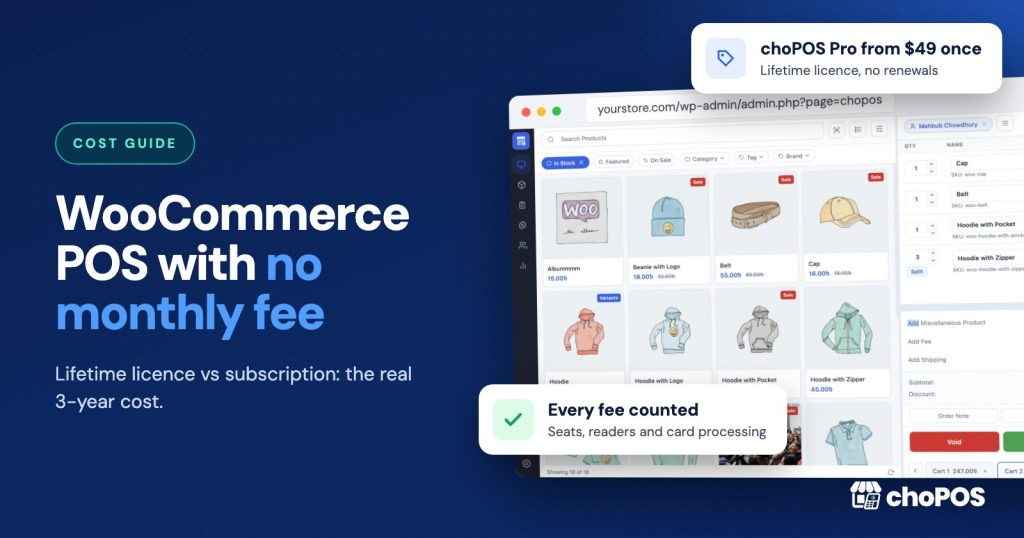
Yes, you can run a WooCommerce POS with no monthly fee. choPOS Free costs nothing, and its Pro add-on is a one-time payment from $49. WCPOS Pro also sells a $399 lifetime license. Over three years, though, card processing usually costs far more than any POS license, so compare the whole bill, not just the sticker price.
We make choPOS, so weigh this accordingly. Every competitor price below was checked on that company’s own pricing page in November 2026, and we link each one so you can check it yourself. If you want feature-by-feature comparisons instead, our WooCommerce POS comparisons page links to every head-to-head we have written.
What does a WooCommerce POS actually cost?
The price on the plugin’s website is only one line of the bill. Over the life of your counter you also pay for staff seats or registers, card processing, hardware and renewals. Most buyers compare the license and forget the rest. This guide goes through each cost, then puts them together in a three-year table.
Subscription, lifetime license or free: what is the difference?
- Subscription. You pay every year, or monthly billed yearly. Oliver POS and FooSales work this way. Stop paying and you lose the paid plan.
- Lifetime license. You pay once and keep the software and its updates. choPOS Pro and WCPOS Pro offer one.
- Free. choPOS, WCPOS and wePOS have free plugins on WordPress.org. The official WooCommerce POS is free software, and Woo earns from card and reader fees.
A lifetime license pays off if you keep the same POS for more than two or three years. A subscription still makes sense if it includes something you need, such as an integrated card reader or offline mode.
What do the main WooCommerce POS options charge in November 2026?
These are the listed prices in US dollars, taken from each pricing page in November 2026. Sale prices are shown where the page shows them.
| Option | Pricing model | Listed price | Limits that affect cost |
|---|---|---|---|
| choPOS Free | Free | $0 | 1 store; no product, sales, cashier or device limits |
| choPOS Pro | Yearly or lifetime | Standard: $29 a year (1 site) or $49 once (5 sites) | Unlimited registers and cashiers on every plan |
| WCPOS Pro | Yearly or lifetime | $129 a year or $399 once | Each license covers 2 sites (one live, one development) |
| wePOS Pro | Yearly | Starter: $49 a year on sale (regular $199), 1 site | Unlimited outlets, counters and cashiers listed on all plans |
| Oliver POS | Free plan, then yearly per site | Starter $89, Pro $289, Enterprise $489 a year | Starter: 2 stations, 3 staff seats. Pro: 15 seats, then $8 per extra seat a month |
| FooSales | Monthly price, billed yearly per store | Core $19 a month, Plus $38 a month | Core: up to 3 users or devices; add-ons for more, price not listed |
| Official WooCommerce POS | Free app, paid card readers | $0 software; $5 a month per active card reader | 10 countries; needs WooPayments or Stripe for cards |
| Square (for comparison) | Free plan plus card fees | $0 a month on the Free plan | A separate POS platform, not a WooCommerce plugin |
A few details matter more than the headline number:
- Oliver POS has a free plan, but it stops at 20 products and 50 transactions a month, with 1 station and 1 staff seat. Its pricing page also mentions a lifetime option but did not show a price when we checked.
- FooSales has no free plan, only a 7-day trial. Each website or subdomain needs its own plan. Integrated Square and Stripe card payments and Tap to Pay are in Plus, not Core.
- wePOS shows a 75% sale on its yearly plans. The page did not state what renewals cost, so budget for the possibility that year two costs more.
For what each tool does at the counter, rather than what it costs, see our roundup of the best WooCommerce POS plugins.
Which costs do people forget?
Per-register and per-seat fees
A plan that looks cheap for one cashier can jump in price when you hire. Oliver Starter covers 3 staff seats and 2 stations. A shop with five staff needs Oliver Pro at $289 a year, and seats past 15 cost $8 each a month. FooSales Core covers up to 3 users or devices, and its user and device add-ons have no listed price.
The official WooCommerce POS charges per card reader instead: $5 a month for each active reader. Woo says a reader counts as active after 3 or more transaction attempts in a month, and Tap to Pay on a phone doesn’t trigger the fee.
choPOS has no seat or register charges. Every cashier signs in with their own WordPress account, and any number of devices can use the terminal at once, on Free and on every Pro plan.
Card processing
This is the biggest cost for most shops, and it scales with your sales. Two published rates in November 2026:
- WooPayments in person (US): 2.7% + $0.10 per card-present sale, plus 1% for international cards.
- Square Free plan (US): 2.6% + 15¢ for tap, dip or swipe, and 3.5% + 15¢ for keyed-in cards.
Take a shop with $5,000 a month in card sales and 200 card sales (a $25 average). At the WooPayments in-person rate that is $155 a month. At the Square Free rate it is $160 a month. Over three years, that is about $5,580 or $5,760.
A small difference in card rates can outweigh the whole POS license. choPOS charges no per-sale fee and doesn’t process cards: you take the card on any terminal from your bank or provider, then record it in choPOS. So you can shop for the best card rate in your country without changing POS.
Hardware
Every option needs a screen, and most shops add a printer, scanner and drawer. For reference, Square’s hardware page listed its contactless and chip reader at $59, Square Terminal at $299 and Square Register at $899 in November 2026.
Hardware lock-in costs money later. Integrated systems need their own supported readers: the official Woo POS needs an M2 reader in the US or a WisePad 3 elsewhere, or Tap to Pay on Android. choPOS runs in any modern browser, so a laptop, desktop, Android tablet or iPad you already own can be the till, with any keyboard-style scanner and any printer the device can print to. Our receipt printer and barcode scanner guide explains what to buy.
Renewals and what happens when you stop paying
Ask every vendor what year two costs, and what stops working if you don’t renew.
- choPOS Pro yearly renews every year. If a yearly license lapses, the Pro screens switch off and choPOS carries on as the free version. Your stores, purchases and vendors stay saved and come back when you renew. Lifetime licenses do not end.
- WCPOS Pro yearly does not renew automatically, according to WCPOS, and Pro keeps working after it expires, without updates or priority support.
- Oliver POS and FooSales are subscriptions priced per year or per month, so they are a recurring cost for as long as you use the paid plan.
What does each WooCommerce POS cost over three years?
Here are two common counters. Shop A has one register and up to three staff. Shop B has two registers and five staff. The figures are software and reader fees only, at November 2026 list prices. Card processing and hardware come on top for every option.
| Option | Shop A: 1 register, 3 staff | Shop B: 2 registers, 5 staff |
|---|---|---|
| choPOS Free | $0 | $0 |
| choPOS Pro Standard, lifetime | $49 once | $49 once |
| choPOS Pro Standard, yearly | $87 ($29 x 3) | $87 ($29 x 3) |
| WCPOS Pro, lifetime | $399 once | $399 once |
| WCPOS Pro, yearly, renewed each year | $387 ($129 x 3) | $387 ($129 x 3) |
| wePOS Pro Starter | $147 if the $49 sale price holds at renewal | $147 if the $49 sale price holds at renewal |
| Oliver POS | $267 (Starter, $89 x 3) | $867 (Pro, $289 x 3, as Starter has 3 seats) |
| FooSales Core | $684 ($19 x 36 months) | $684 plus user add-ons (price not listed) |
| FooSales Plus (integrated card payments) | $1,368 ($38 x 36 months) | $1,368 (user limit not stated) |
| Official WooCommerce POS | $180 for one active reader ($5 x 36) | $360 for two active readers |
| Square Free plan | $0 software, plus reader hardware | $0 software, plus reader hardware |
Three things stand out. The gap between the cheapest and most expensive license is about $1,400 over three years, less than one year of card fees for the example shop. Seat limits bite as soon as you hire: Oliver more than triples for Shop B. And lifetime licenses pay off: choPOS Pro lifetime beats its yearly plan in year two, WCPOS Pro lifetime in year four.
How does choPOS pricing work?
choPOS Free costs $0, forever, and is a full point of sale for one store, with no product, sales, cashier or device limits. choPOS Pro is an add-on that keeps the free plugin and adds unlimited stores with their own stock, purchase orders and vendors, barcode label printing, one-click updates and email support.
| Pro plan | Yearly (renews every year) | Lifetime (pay once) |
|---|---|---|
| Standard | $29 a year, 1 site | $49 once, 5 sites |
| Premium | $59 a year, 100 sites | $99 once, 500 sites |
| Agency | $99 a year, 200 sites | $199 once, unlimited sites |
Every Pro plan includes every Pro feature; plans differ only in site count and support. There is a 14-day money-back guarantee and no per-transaction fee. The full list is on the Free vs Pro page.
Two limits affect cost too. choPOS doesn’t work offline, because the terminal needs a connection to your WordPress site. And it doesn’t connect to card readers: you take cards on a separate terminal and record the payment.
When is a subscription POS the better pick?
- You must sell without internet. FooSales lists offline mode on all its plans. choPOS does not work offline. Our pop-up shop POS guide covers running choPOS on a mobile hotspot, but if you have no signal at all, pick a tool built for offline selling.
- You want the card reader built into the till. FooSales Plus integrates Square, Stripe and Tap to Pay. Oliver Pay uses Stripe terminals. The official WooCommerce POS works with WooPayments or Stripe readers. Integration saves the cashier typing the amount twice.
- You want native phone and tablet apps. FooSales connects to iPhone, iPad and Android apps as well as the web. choPOS runs in the browser only.
- You are in a supported country and want the official option. The WooCommerce POS app is free software in 10 countries, and it is built by Woo.
For a closer look at two of these, read FooSales vs choPOS and Oliver POS vs choPOS. If you already sell with Square, our Square vs choPOS comparison costs out a year of each.
Before you buy, test the cheapest option that meets your needs. A free plugin costs you an afternoon, not a contract. Our WooCommerce POS setup guide walks through a first test sale.
Key takeaways
- You can run a WooCommerce POS with no monthly fee: choPOS Free is $0, and choPOS Pro and WCPOS Pro both sell one-time lifetime licenses.
- Over three years, licenses range from $0 to about $1,400 at November 2026 prices. Card processing for a modest shop can cost several thousand dollars in the same period.
- Watch per-seat and per-reader fees: Oliver’s cost more than triples when a shop grows from 3 to 5 staff, and Woo’s POS charges $5 a month per active reader.
- choPOS Pro yearly licenses renew every year; a lapsed license falls back to the free version. Lifetime licenses do not end.
- Pay for a subscription when you need offline selling, an integrated card reader or native apps, which choPOS does not offer.
Frequently asked questions
Is there a WooCommerce POS with a one-time payment?
Yes. choPOS Pro has lifetime licenses from $49 once, and WCPOS Pro has a $399 lifetime license (November 2026). choPOS Free also costs nothing at all for one store.
Which WooCommerce POS has no monthly fee?
choPOS Free, the free WCPOS and wePOS plugins, and lifetime licenses for choPOS Pro and WCPOS Pro have no monthly fee. The official WooCommerce POS app is free software but charges $5 a month per active card reader. Card processing fees from your payment provider apply with every option.
Does a choPOS lifetime license ever expire?
No. Lifetime licenses do not end. Yearly licenses renew every year, and if one lapses, the Pro screens switch off and choPOS keeps working as the free version. Your Pro data stays saved and comes back when you renew.
Do WooCommerce POS plugins charge per register or per user?
Some do. Oliver POS plans cap stations and staff seats, FooSales Core covers up to 3 users or devices, and the official WooCommerce POS charges $5 a month per active reader. choPOS has no per-register or per-cashier charges.
What is the cheapest way to take card payments with a WooCommerce POS?
Compare card rates first, because they cost more than the POS. With choPOS you can use any card terminal from any provider and record the payment as Card, so you are free to pick the lowest rate available in your country.
Try choPOS on your own store
The cheapest POS is the one you can test for free on your own products. Download choPOS Free from WordPress.org, run a few sales, and see how they look as WooCommerce orders. If you later need several stores, purchase orders or barcode labels, the pricing page shows every Pro plan, yearly and lifetime.