
Find, edit, refund and re-open orders
Search every sale, reprint receipts, refund and restock, and re-open orders for changes.
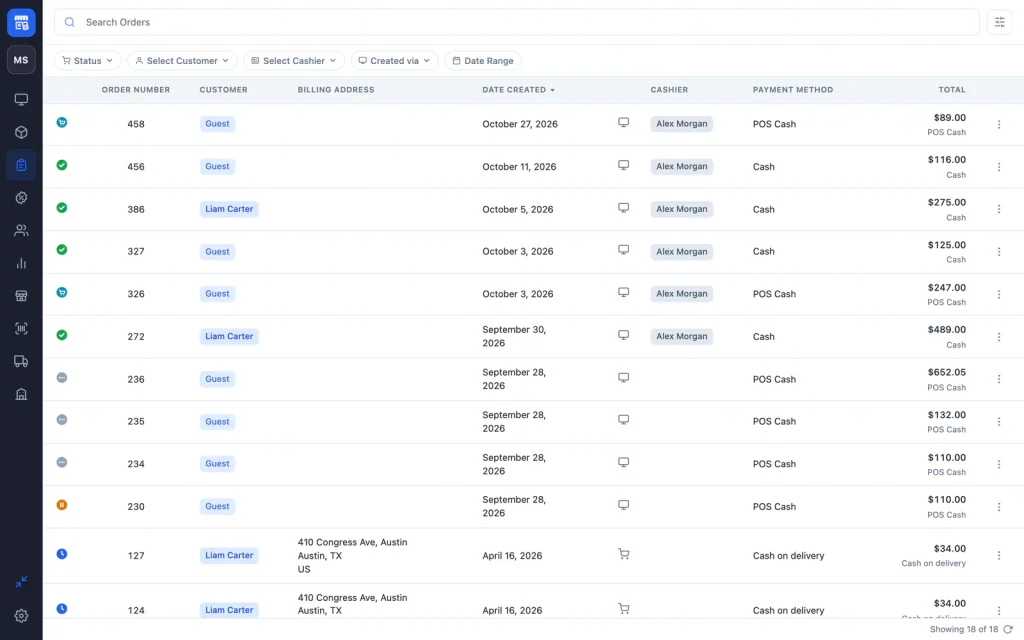
The choPOS Orders screen lists every WooCommerce order, from the POS and the online shop, with filters for status, customer, cashier, channel and date. From an order you can print the receipt, refund it in full and restock the items, edit its details, or re-open it in a cart to change what was sold.
Find an order
Click Orders in the sidebar. Type an order number, name or email in Search Orders, or use the filters:
- Status: any WooCommerce status, including POS – Open and POS – Partial Payment.
- Select Customer: one customer, or Guest.
- Select Cashier: who made the sale.
- Created via: POS, Checkout, Checkout (Blocks), Admin or REST API.
- Date Range: Today, Yesterday, This Week, Last Week, This Month, Last Month, or dates you pick.
Click a column heading to sort by order number, date or total. Click a customer or cashier chip in the list to show only their orders. The Order Settings button chooses which columns appear.
Cashiers without manager rights see only the POS orders they rang up. Managers see everything. See Staff roles and permissions.
View order details
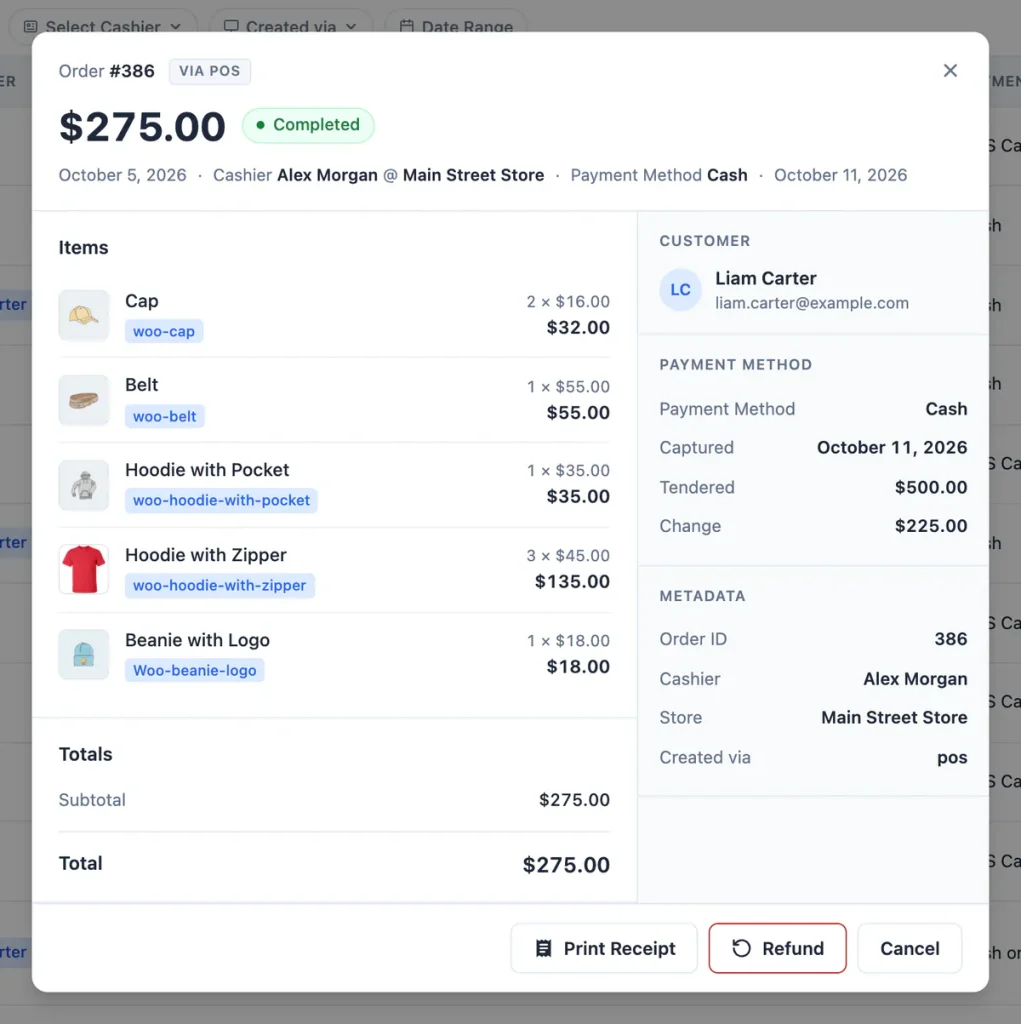
Open an order’s menu (⋯) and choose View. The details show the items, totals, customer, addresses, payment method with the cash tendered and change, the cashier and the store.
Reprint or email a receipt
Choose Receipt from the order’s menu, or click Print Receipt in the order details. See Receipts and printing.
Refund an order
- Open the order with View.
- Click Refund.
- Confirm “Refund … for order #… and put its items back in stock?”
choPOS creates a WooCommerce refund for everything not yet refunded, puts every item back in stock, adds the reason “Refunded via POS.” and sets the order to Refunded. For a part-paid order, the refund is the amount the customer actually paid.
choPOS does not send money back through a payment gateway. Give the customer cash from the till, or refund the card on your own card terminal.
The Refund button is available to managers on orders that are Completed, Processing, On hold or POS – Partial Payment.
Re-open an order to change it
Need to add an item, swap a size or change a price after checkout? Choose Re-open from the order’s menu and confirm. The order goes back to POS – Open and loads into its own cart tab, labelled with the order number. Change the cart and check out again; choPOS updates the same order.
Orders with a refund cannot be re-opened.
Edit order details
Managers can choose Edit from the menu to change the status, customer, customer note, billing and shipping addresses, payment method, currency, transaction ID, tax IDs (such as EU VAT, GB VAT or US EIN) and custom order meta. Items and prices are changed by re-opening the order.
Delete an order
Managers can choose Delete. The order moves to the WooCommerce trash, where you can restore it from WooCommerce → Orders.