
The choPOS POS screen
Find products fast, switch between grid and list, and set up the screen for your counter.
The choPOS POS screen has three parts: a dark sidebar for moving between screens, the product area where you search, filter and tap products, and the cart on the right. Products come straight from WooCommerce, so prices, sale prices, images and stock match your online shop.
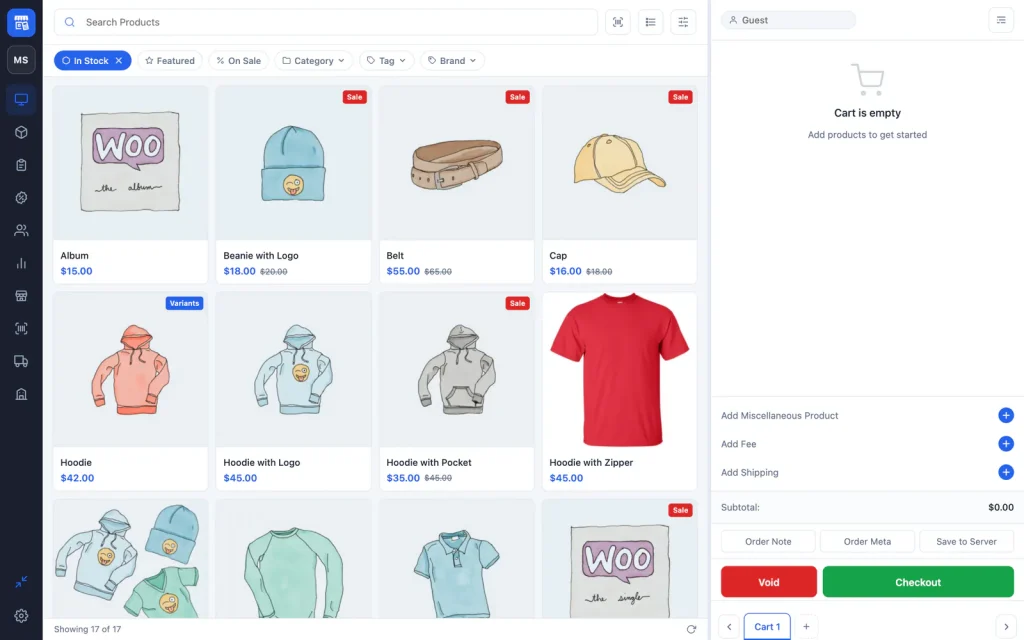
The sidebar
The sidebar icons open each screen. Hover over an icon to see its name.
- POS Terminal: the selling screen.
- Products: edit stock and prices (see Products and stock).
- Orders: past sales, receipts and refunds (see Orders and refunds).
- Coupons and Customers: for managers.
- Reports: sales totals and charts.
- Stores, Barcodes, Purchases and Vendors: added by choPOS Pro.
- Fullscreen and Settings sit at the bottom.
Staff only see the screens their permissions allow.
Find products
Search
Type in Search Products to search your catalogue by keyword. Click the × in the box to clear it. To add a product by its code, scan it or use the Scan barcode button next to the search box (see Barcode scanning).
Filters
The chips under the search box narrow the list:
- In Stock: on by default. Click its × to include out-of-stock products.
- Featured and On Sale: show only featured or discounted products.
- Category, Tag and Brand: choose one value from a searchable list. Brand works with WooCommerce Brands and the common brand plugins.
The bar at the bottom shows how many products are loaded and has a Refresh button to reload them from WooCommerce.
Large catalogue? The grid loads the first 50 matching products. Use search or a category filter to reach the rest quickly.
Grid and list views
The Switch to List button changes the tiles to a compact list, which suits large catalogues and small screens. Click Switch to Grid to go back.
In the grid, a Sale badge marks discounted products and shows the regular price struck through. A Variants badge marks variable products.
Sell variable products
Tap a variable product in the grid to open its options on the tile. Choose each attribute, such as colour and size; when the options match a variation the button changes to Add to Cart with the variation name. In the list view, click the arrow to show every variation with its stock and price, then click Add to cart. Out-of-stock variations cannot be chosen.
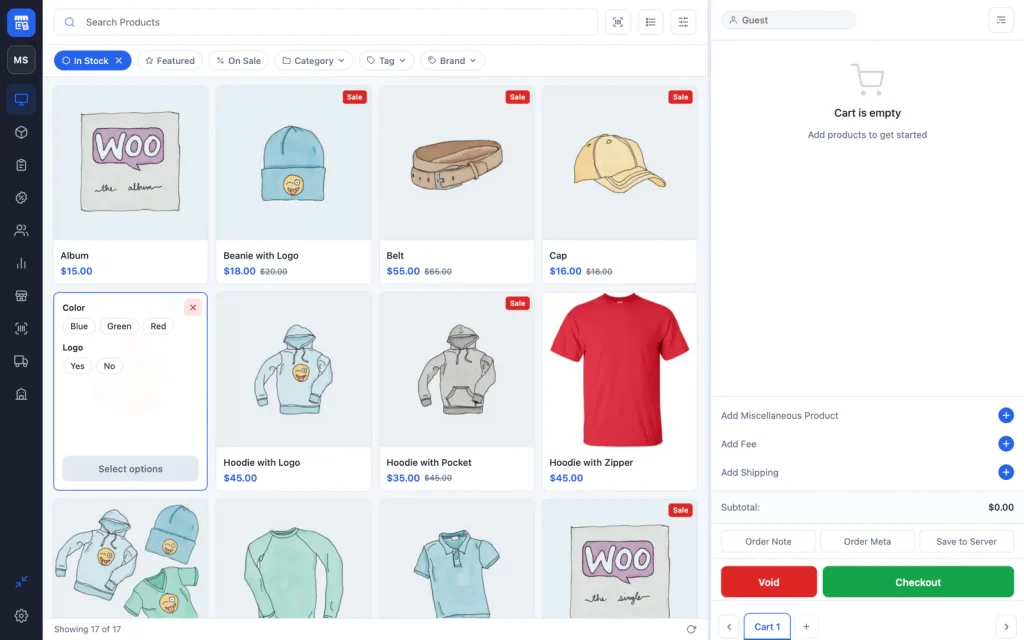
Product tile settings
Click Product Settings (the sliders icon) to choose:
- View Mode: Grid or List.
- Tile Size: two to six tiles per row.
- Tile Fields: extra details on each tile, such as SKU, stock and categories.
These choices are saved on the device. Restore Default Settings puts them back.
Full-screen mode
Click Fullscreen at the bottom of the sidebar to hide the WordPress toolbar and admin menu. The setting is remembered on the device, so the till reopens in full screen. Press Esc or click Exit Fullscreen to return to the normal dashboard.
Resize the cart
Drag the handle between the products and the cart to make the cart wider or narrower. choPOS keeps the width you choose on that device.